
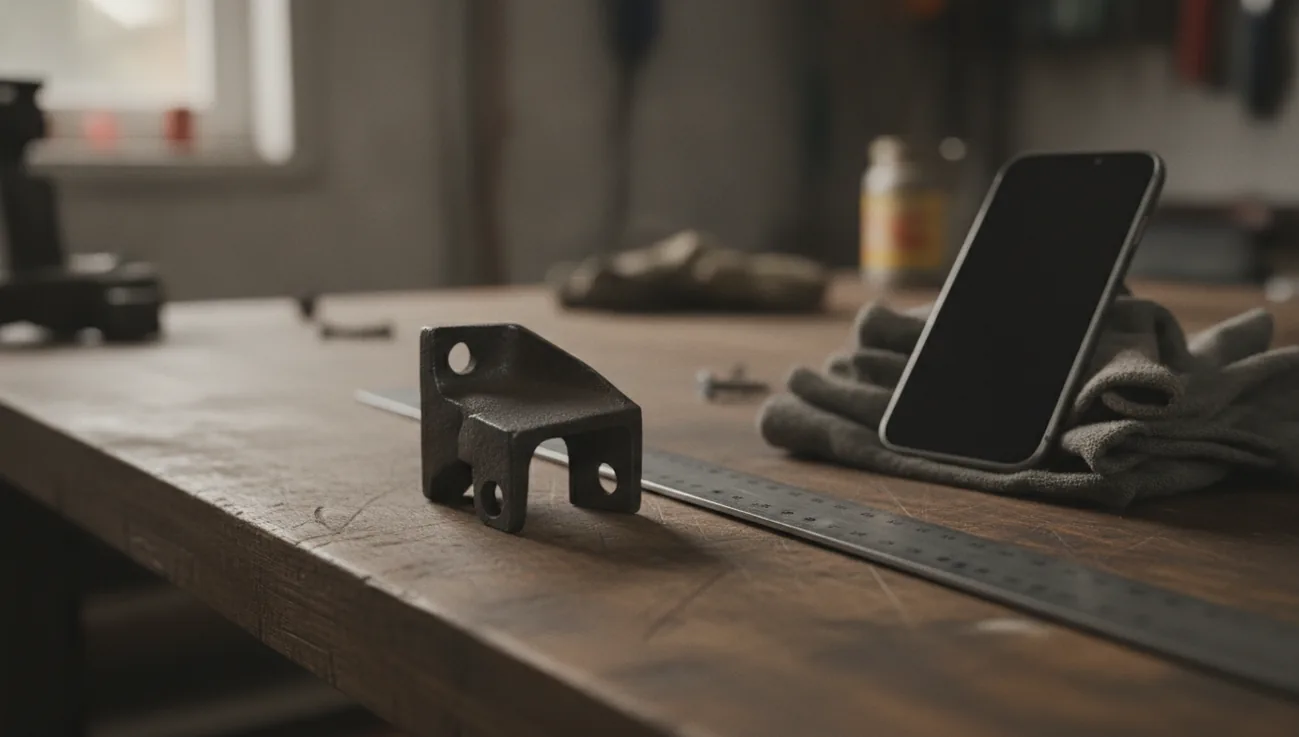
Photos that let a part be identified
Most failed identifications are photo failures. One blurry shot of a greasy object on a cluttered shelf gives nobody, human or AI, much to work with. Spend two minutes on the photos and the rest gets easier.
- The whole part in good light, not a close-up of one corner.
- Several sides, including front, back, side and underside.
- Every connection point, such as threads, plugs, sockets and mounting holes.
- Any logo, model number, serial number, stamp, label or warning symbol you need to decode, as close as your camera focuses.
- A tape measure or coin beside the part to show its size.
- The wider scene, showing the complete item, nearby components and what the part was doing.
The ruler matters more than people expect. Perspective alone cannot establish size, and a 10 mm bracket looks identical to a 40 mm one in a close-up. Crop out unrelated background afterward, but leave enough context to show how the part fits.
Features that narrow down a mystery part
Before you search anything, write down what you can see and measure. Those notes become your search terms.
- Shape. Is it circular, rectangular, tapered, curved, threaded, hinged, toothed or irregular?
- Dimensions. Length, width, diameter, thickness and the spacing between holes.
- Material. Metal, plastic, rubber, glass, wood, ceramic or fabric.
- Color and finish. Painted, plated, anodized, polished, matte, corroded or heat-discolored.
- Interfaces. Threads, clips, magnets, gears, blades or electrical contacts.
Color is the weakest item on that list. Lighting changes how a part looks in a photo, and manufacturing variants come in different colors. Shape, dimensions and interfaces tell you far more.
How to use markings, logos and part numbers
Markings are your best evidence. Logos and color are weak evidence because counterfeit and replacement parts can look similar. Model numbers and manufacturer catalogs are stronger.
Transcribe all visible text exactly, including punctuation and partial characters. A half-worn digit still narrows a search. Then search the strongest text string with a word like manual, parts diagram, catalog, replacement or specification. If a logo is all you have, our guide to working out what brand something is covers that angle.
When you cannot describe the thing at all, you may only need a name for it. Getting a name for the object comes first, and the what-is-this-called page explains how. A name is what you type into a catalog search.
Lookalike parts and the differences between them
Many parts are confused with a near twin. These pairs cause the most wrong guesses.
| Pair | How they differ |
|---|---|
| Bolt and screw | A bolt generally works with a nut or threaded hole. A screw is usually driven directly into a material or a threaded pilot hole. Head shape and thread form help. |
| Washer and spacer | A washer is generally a thin disk under a fastener. A spacer is usually thicker and holds a defined gap. |
| Fuse and connector | A fuse interrupts excessive current and normally has a stated current rating. A connector joins circuits and is not normally a protective device. |
| Bearing and bushing | A bearing commonly uses rolling elements. A bushing gives sliding contact, often as a sleeve. |
Metric and imperial fasteners are a trap of their own. Thread pitch, diameter, head markings and measured dimensions must be compared with a manufacturer standard. Appearance alone is not enough, and a bolt that threads in a turn or two can still be the wrong one.
Working through a part photo, one step at a time
When you want to know what is this part and be right, work through these steps in order.
- Photograph the entire part in good light.
- Take close-ups of every marking, connector, thread, label and unusual feature.
- Shoot several sides with a ruler in the frame.
- Crop out the background but keep the fitting context.
- Transcribe visible text exactly.
- Search the part photo in TinEye, Google Lens and Bing, and only trust a part number that more than one of them agrees on.
- Search your best text string with a term like parts diagram or specification.
- Compare dimensions, material, interfaces, markings and mounting pattern against manufacturer documentation.
- Check at least two independent sources.
- Write down the identification, your evidence, the model number, the dimensions and how confident you are.
Step 6 deserves a warning. Visual-search systems can return visually similar images, product results and pages tied to an image, but the result may be a similar object rather than the exact item. Treat any part match as something to verify against the catalog.
What each photo tool and database is good for
Google Lens is a broad visual search. It finds similar images and products, which is handy when your part is common and widely sold. Bing Visual Search lets you upload an image and returns visual matches and pages that use the image. Bing's terms let Microsoft reuse uploaded pictures to improve its systems, so crop out serial plates or addresses you would rather keep to yourself.
TinEye is a reverse-image search for finding indexed copies and the origin of an image. TinEye counts over 84.9 billion indexed images on its site, dated June 24, 2026, and says search uploads are neither saved nor indexed. It looks for copies of a picture, so it works best when someone has already posted your part online.
iNaturalist covers a different job. It supports photographs of wild plants, animals, fungi and other organisms, and its community can confirm or refine a suggested identification. If your mystery part turns out to be a seed pod, it is the better stop.
For exact answers, nothing beats manufacturer parts catalogs. They give model numbers, diagrams, dimensions and compatibility. Trade experts help too. An automotive, electronics or hardware specialist can read markings and standards that no photo tool will explain.
Identifying car and vehicle parts
Vehicle parts add one more clue, the vehicle itself, and the same goes for a part from a handset, where working out which phone you have comes first. Note the model of the car and where on it the part sat, because a catalog lookup starts there. If you are not sure about the vehicle, our page on identifying a car from a photo can settle that first. Then take your transcribed markings to the manufacturer catalog and check the diagram against your part.
If the object in your hand is a hand tool or workshop item rather than a component, identifying a tool from a picture is a closer fit.
When to stop and ask a professional
Some parts should not be guessed at. Do not touch, open, energize, cut, move or dismantle an unknown part if it may be electrical, pressurized, explosive, radioactive, contaminated, sharp, hot, structural or connected to gas or machinery.
Do not rely on an image match before repairing safety-critical equipment. Use an electrician, engineer, mechanic, gas technician or other qualified professional where a wrong identification could cause injury or equipment damage. Load-bearing, pressurized and medical parts belong on that list too.
Privacy points to check on a part photo before uploading
Part photos often include more than the part. Remove faces, addresses, license plates, identification documents, QR codes, serial numbers and geolocation metadata when you do not need them. The Office of the Privacy Commissioner of Canada advises limiting the collection of personal information during identification and not recording unnecessary identity-document details. A Philippine privacy authority warns that photographing identity documents can create risks including data breaches, unauthorized use, inadequate disposal, profiling and discrimination.
Check each service's retention, indexing, training and sharing terms before uploading private images. Claims about deletion or non-retention are specific to each service and can change. And never treat a reverse-image result as proof of a person's identity, ownership or location.
Wrong-part traps to watch for
- Uploading one blurry or blocked view.
- Leaving out scale and dimensions.
- Cropping away the context that shows where the part sat.
- Ignoring stamps, model numbers and partial text.
- Treating color as decisive.
- Confusing a visually similar replacement with the original.
- Trusting one AI answer without a catalog or second source.
- Searching only by looks instead of function, dimensions or interface.
One more habit helps. Price and availability vary by country, seller, condition and time, so date-stamp any figure you find. If you also want a rough sense of value, estimating what an item is worth is its own question. And if you want a place to start with any unknown object, the homepage photo scanner for identifying things is a quick first look. Using an unverified identification to eat a plant or mushroom, run machinery, repair electrical equipment or replace a safety-critical component is the mistake that costs the most.
Questions about what is this part
How do I find the exact part number for my car?
Look for markings on the part itself, such as model numbers, serial numbers, stamps and labels, and photograph them up close. Transcribe the text exactly, including partial characters. Then check the manufacturer parts catalog, which gives model numbers, diagrams, dimensions and compatibility. Note the vehicle model too, since a lookup starts there. Compare your part to the catalog diagram before you buy.
Can a photo alone identify a part?
A photo can suggest an identity, but it rarely proves one. Visual-search systems can return similar images and product results, and the match may be a similar object rather than the exact item. Dimensions, markings, material and mounting pattern need to be compared with manufacturer documentation. Check at least two independent sources before you treat an answer as settled.
What should I do if my part has no markings?
Lean on shape, measured dimensions, material, interfaces and context. Record length, width, diameter, thickness and hole spacing with a ruler in the photo. Note the threads, sockets, clips or contacts, and what the part was attached to. Search by function and measurements as well as appearance, and ask an automotive, electronics or hardware expert if the part is specialized.
How do I tell a bolt from a screw?
A bolt generally works with a nut or a threaded hole. A screw is usually driven directly into a material or a threaded pilot hole. Head shape and thread form help you decide. If you need the exact type, measure the diameter and thread pitch and compare them with a manufacturer standard, since appearance alone cannot separate metric from imperial.
What should I note before searching for a part?
Before searching, write down what you can see and measure. Note the shape, dimensions such as length, diameter, thickness and hole spacing, the material, the finish, and interfaces like threads, clips, gears or electrical contacts. Also transcribe every marking exactly. Color misleads most often, since lighting and manufacturing variants change it. Shape, dimensions and interfaces tell you far more.
When should I ask a professional instead of identifying a part myself?
Ask a professional when the part could be electrical, pressurized, explosive, structural, hot, sharp, connected to gas or machinery, or medical. A wrong identification there can cause injury or equipment damage. Use an electrician, engineer, mechanic, gas technician or another qualified person, and do not open or energize the unknown part while you wait.
How do I confirm a part after an image match?
A reverse image match only shows that similar or identical pictures exist online. It does not confirm your specific part, because replacement and counterfeit parts can look alike and photos can be mislabeled. Use a match as a lead only, and verify it with model numbers, a manufacturer catalog and a second independent source.