
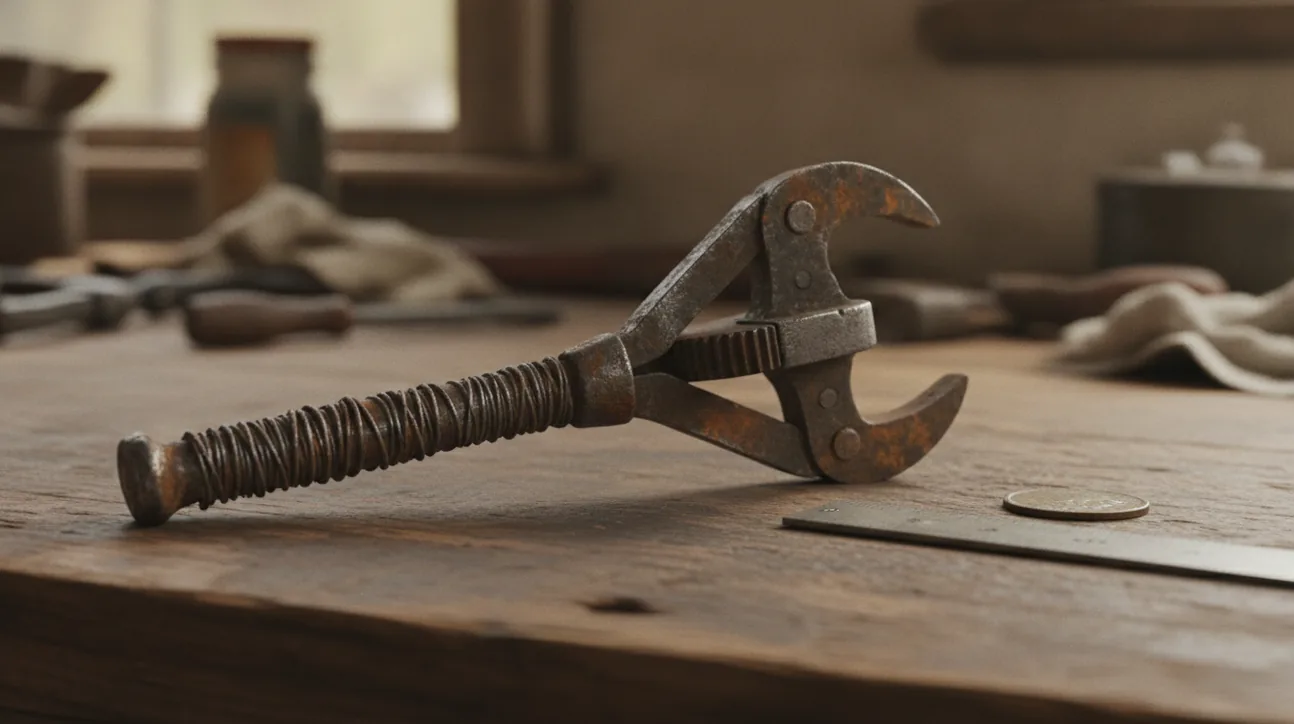
Details to examine when you ask what is this tool
An unknown tool usually gives away its job through a handful of visible clues. Go through them in this order.
- Shape and silhouette. Look at the overall outline, the proportions, and how many parts there are. Handles, openings, and blades narrow the field fast.
- Surface and material. Metal, plastic, wood, rust, and paint all say something about age and how hard the tool was meant to work.
- Text and symbols. Brand names, model numbers, labels, and serial numbers are the best clues you can get. A model number can lead straight to a manual.
- Construction details. Screws, seams, hinges, connectors, vents, buttons, ports, teeth, and mounting points show how the tool is assembled and what it attaches to.
- Scale. A ruler, coin, or your hand in the frame tells a viewer whether the tool is pocket-sized or bench-sized.
- Context. Packaging, nearby equipment, and the place you found it often point to the trade it belongs to.
Color is the weakest clue on that list. Lighting, camera processing, age, and faded paint can all change it.
Photographing a mystery tool so it can be identified
Most bad answers start with a bad photo. One blurry, dim shot of the most generic side is the classic failure. Do this instead.
- Photograph the whole tool in sharp, even light.
- Take close-ups of labels, logos, markings, seams, connectors, and anything that looks unusual.
- Put a ruler, coin, or hand next to it when size matters.
- Shoot more than one side, plus the underside and any mounting or attachment points.
- Crop away clutter, but keep enough background to show how or where it is used.
- Run the best full shot through a visual-identification tool.
For that last step, you can put the photo in the drop area up top, or read the app identification page when the screenshot shows software. The AI reads the image and returns a likely tool name with how confident it is in the name. Check that name before you buy or use anything.
Decoding the markings on an unknown tool
Small text often does more work than the shape does. Look for a maker's mark, a model number, a serial number, and any size stamped into the metal or molded into the plastic. Move your light so it hits the surface from the side, because stamped letters read better with a shadow inside them. Then photograph each mark close up, in focus, with nothing else in the frame.
When you search or ask for help, type the exact characters you read instead of a vague description like "silver gripper thing." Distinctive visible terms narrow the results much faster than broad ones. A model number you can read is worth more than ten photos of the handle.
Working out what the tool is used for
Naming the tool comes first. The job follows from the name. If you have no name yet, finding the name of an object covers the first step, and the homepage works for anything that is not a tool.
Once you have a candidate, look it up in places that list intended uses.
- Manufacturer catalogs and manuals. These match model numbers, dimensions, diagrams, replacement parts, and intended uses. Coverage varies by manufacturer, so some brands are easier than others.
- Reverse-image search. It helps you find visually similar products, logos, and images that were published before. It finds lookalikes, so you still have to confirm the match yourself.
- People who use the tool daily. Mechanics, electricians, and other trade professionals can often say what this is used for in seconds.
If you can read a logo or brand name on the tool, identifying the brand from a photo is a shortcut to the right catalog. A tool sold as a finished item may be better handled through the product photo page.
How to compare several suggestions for one tool
Say a photo tool, a reverse-image search, and a friend each hand you a different name. That is useful, not annoying. Write down every suggestion, not only the first one, then test each against facts you can measure on the object itself.
- Do the dimensions match the catalog listing?
- Is the material right for that job?
- Does the model year fit the style and the wear?
- Does the function make sense for where you found it?
A match on shape alone is not enough. Visual similarity is not the same as identical function, model, or authenticity. Two clamps can look like twins and still do different jobs. If one candidate passes every check and the others fail, you probably have your answer. If two survive, you need the manual or a person.
Which phone features identify objects
Apple's Visual Look Up runs on supported devices and turns up in Quick Look, Safari and Photos. Apple gives landmarks, popular statues, famous artwork, plants, pets, books, and meals as examples. Seek by iNaturalist is built for wildlife, plants, and fungi, and it needs no account. Both are made for those categories, so a hardware question usually still ends with a manual or a person.
Tools and parts that look alike
Many mystery items are not tools at all. They are fasteners, connectors, or fittings, and those are easy to mix up. Two pieces can look identical and still not fit each other. For more depth, see the part identification page; the short version of what separates lookalikes follows.
| What you are comparing | What separates the lookalikes |
|---|---|
| Fasteners | Thread size, diameter, material, and markings |
| Connectors | Mating interface, dimensions, and markings |
| Fittings | Thread size, diameter, material, and the application it was made for |
A part that looks right can still be the wrong model, the wrong size, or a copy.
Wrong-answer traps with unknown tools
- Using one blurry or poorly lit image.
- Photographing only the most generic side.
- Skipping the small text, maker marks, serial numbers, and connector shape.
- Leaving out scale, so a pocket tool and a floor tool look the same.
- Searching with a broad description when a distinctive visible detail would do better.
- Treating the top automated result as proof.
- Trusting packaging alone, since counterfeit packaging exists.
- Not keeping the original photo, which an expert may want later.
Safety rules for handling an unknown tool
Do not touch, open, take apart, or run an unknown object just to find out what it is. Treat unfamiliar electrical components and damaged equipment as potentially hazardous until someone qualified says otherwise. A photo result does not replace an electrician, engineer, or mechanic.
Privacy matters too. Before you upload or post a photo, blur addresses, serial numbers, receipts, barcodes, QR codes, license plates, faces, and private interiors. Background details you did not notice can travel with the image.
Checks to make before sharing a photo of an unusual item
Check ownership, copyright, consent, and the site's terms of service before you publish a photo or reuse it commercially. Some weapons, archaeological objects, cultural artifacts, and protected items come with rules about collecting, owning, moving, or disclosing them. Those rules depend on where you live.
Keep the original, uncropped photo and a note about where you found the item. An expert may ask for both.
Cases where a photo falls short
A single image may not give enough evidence to identify a mechanical part, a product variant, or a hazardous material. Ask a qualified person when the answer affects electrical work, structural safety, weapons, or legal compliance. The same goes for a valuable antique, where putting a value on an item needs more than a photo. A photo-only result is not enough basis to repair, buy, sell, or handle the item unless you have verified it another way.
So when someone asks what is this tool, the honest sequence is simple. Take good photos, read every mark, collect suggestions, check them against a manual or catalog, and bring in a professional when the stakes are real.
Questions about what is this tool
How do I identify a tool?
Get the entire tool in even light first, then add close-ups of any markings, labels, connectors, and unusual features. Put a ruler or coin beside it for scale. Run the best photo through a visual-identification tool, write down every suggestion, and compare them with manufacturer manuals or catalogs. Check dimensions, materials, and function before you trust any answer.
What tool is that?
Look for text first. Brand names, model numbers, and labels are the strongest clues, and a model number can lead straight to a manual. If there is no text, use shape, material, and construction details such as hinges, teeth, screws, and mounting points. Then confirm your guess against a catalog or ask someone who works with that kind of tool.
Is there an app to identify tools?
Photo-identification tools analyze an image and suggest what it shows. Apple's Visual Look Up names landmarks, sculptures, artwork, plants, pets, books and dishes on supported devices, and Seek by iNaturalist focuses on wildlife, plants, and fungi. For a hardware question, treat any suggestion as a lead and verify it in a manufacturer manual or with a professional.
What if I get different names for one tool?
Write down every suggestion, not only the first one, then test each against facts you can measure on the object. Check whether the dimensions match the catalog listing, the material suits the job, the model year fits the style and wear, and the function makes sense for where you found it. If one candidate passes every check, you probably have your answer. If two survive, you need the manual or a person.
How do I read the markings on an unknown tool?
Look for a maker's mark, model number, serial number, and any size stamped into the metal or molded into the plastic. Move your light so it hits the surface from the side, because stamped letters read better with a shadow inside them. Photograph each mark close up and in focus, with nothing else in the frame. Then search the exact characters you read, since a readable model number can lead straight to a manual.
Can I figure out a tool's purpose from a picture?
Look the candidate up where intended uses are listed. Manufacturer catalogs and manuals match model numbers, dimensions, diagrams, replacement parts, and uses, though coverage varies by brand. Reverse-image search finds lookalikes, so you must confirm the match yourself. Mechanics, electricians, and other trade professionals who use the tool daily can often tell you its job in seconds.
Can a photo tell me if an unknown tool is safe to use?
No. A photo result is a suggestion, not a safety check. Do not open, take apart, or run an unknown object to test it. Treat unfamiliar electrical components and damaged equipment as hazardous. If the question involves electrical work, structural safety, or legal compliance, ask a qualified electrician, engineer, or mechanic before you handle it.